Export your Teachable students in one click.
Sidecar adds instant CSV, Excel, PDF & JSON export — plus a full export of every field across every page — right above your Teachable students table. No more 25-at-a-time paging, no more waiting on Teachable's emailed CSV that expires in minutes.
Free on the Chrome Web Store · now live. Not affiliated with Teachable.
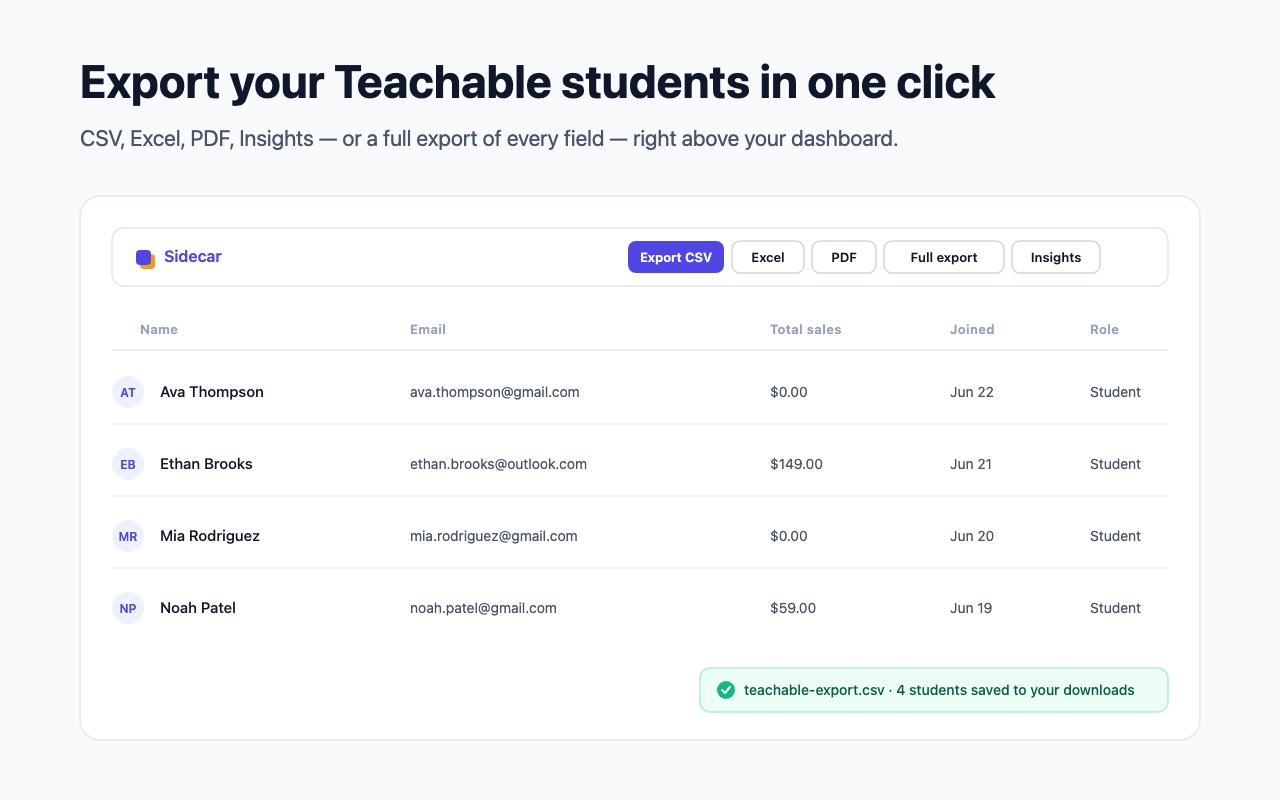
Your Teachable students, finally portable
Teachable shows your students but won't let you take them cleanly — its export emails you a CSV that expires in about 24 minutes. Sidecar fixes that, without leaving the dashboard.
CSV & Excel
Export your students list to a clean CSV (free) or a formatted Excel .xlsx in seconds.
PDF report & Insights
A branded student & revenue report, plus totals and top students — right above your table.
Full export
Every field Teachable stores per student — phone, tags, sign-in stats, address — across every page, not just the columns on screen.
Private by design
Everything runs in your browser. No analytics, no servers — your student data never leaves your device.
Full export pulls every field, across every page
Your screen shows one page of students with about ten columns. The rest — phone, tags, sign-up source, sign-in stats, address — lives behind Teachable's API. Sidecar's Full export gathers all of it, for every student, on every page, into one spreadsheet.
columns in
your list view
fields per student,
across every page
Free CSV. Pro is the full toolkit.
- One-click CSV export
- Your current students view
- Runs entirely in your browser
- Kill-switch & settings
- Everything in Free
- JSON + Excel (.xlsx) export
- PDF report + Insights panel
- Full export — every field, all pages
Stop paging through your Teachable students
Install Sidecar, open your Users dashboard, and your whole student list — every field, every page — is one click away.