Export your Thinkific students in one click.
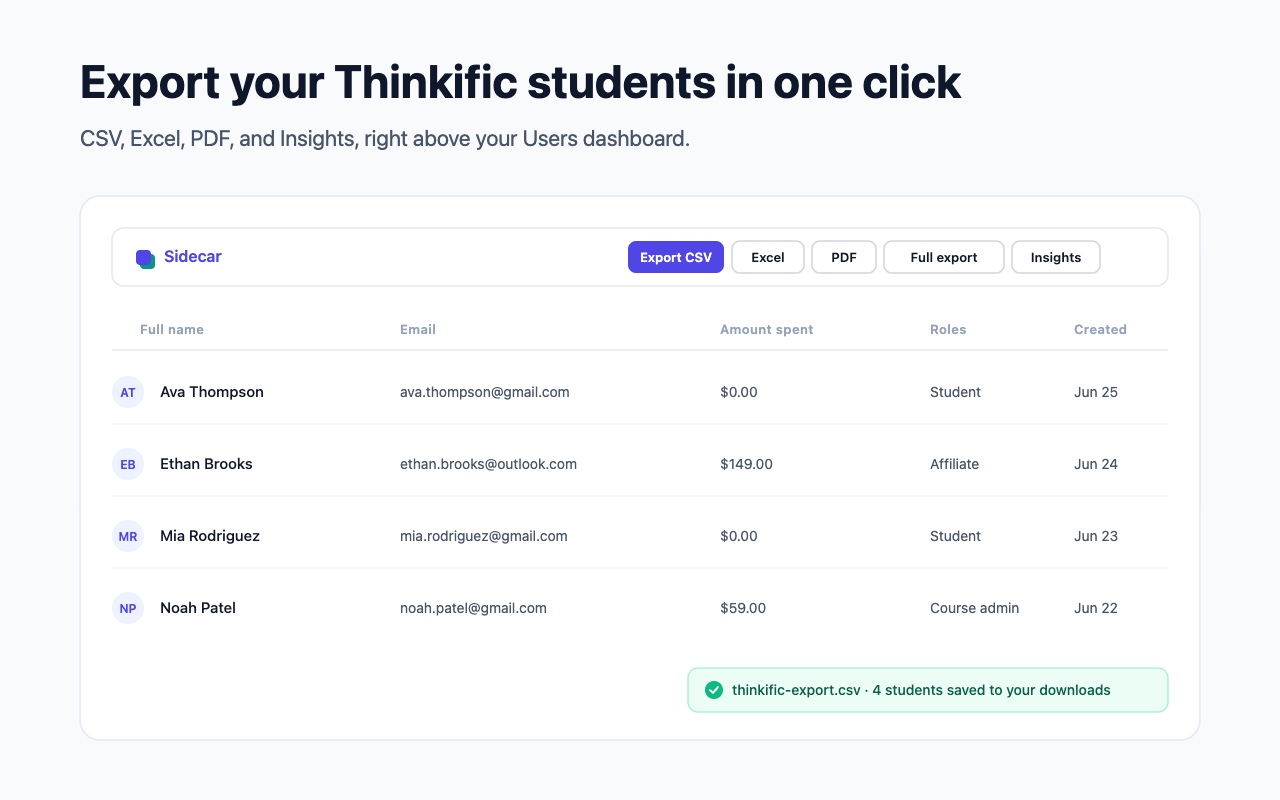
Sidecar adds instant CSV, Excel, PDF & JSON export, plus a full export of every student across every page, right above your Thinkific Users table. No copy-paste, no reformatting by hand.
Launching soon on the Chrome Web Store. Not affiliated with Thinkific.
Your Thinkific students, finally portable
Thinkific shows your students a page at a time. Sidecar gives you the whole list, in the format you want, without leaving the dashboard.
CSV & Excel
Export your Users list to a clean CSV (free) or a formatted Excel .xlsx in seconds.
PDF report & Insights
A branded student report, plus totals and your top students, right above your table.
Full export
Every student across every page of your Users list, all 11 columns, into one spreadsheet. Not just the page on screen.
Private by design
Everything runs in your browser. No analytics, no servers. Sidecar sends nothing and fetches nothing extra, it just reads the page you are on.
Full export walks every page, not just the one on screen
Your Thinkific Users list shows 25 students per page. Sidecar's Full export pages through your entire list and exports all of them, with all 11 columns, into one spreadsheet.
students per
page on screen
students, across
every page
Free CSV. Pro is the full toolkit.
- One-click CSV export
- Your current Users view
- Runs entirely in your browser
- Kill-switch & settings
- Everything in Free
- JSON + Excel (.xlsx) export
- PDF report + Insights panel
- Full export, every page in one file
Stop paging through your Thinkific students
Install Sidecar, open your Users dashboard, and your whole student list, every page, is one click away.