Sidecar — One-Click Student Export for Teachable
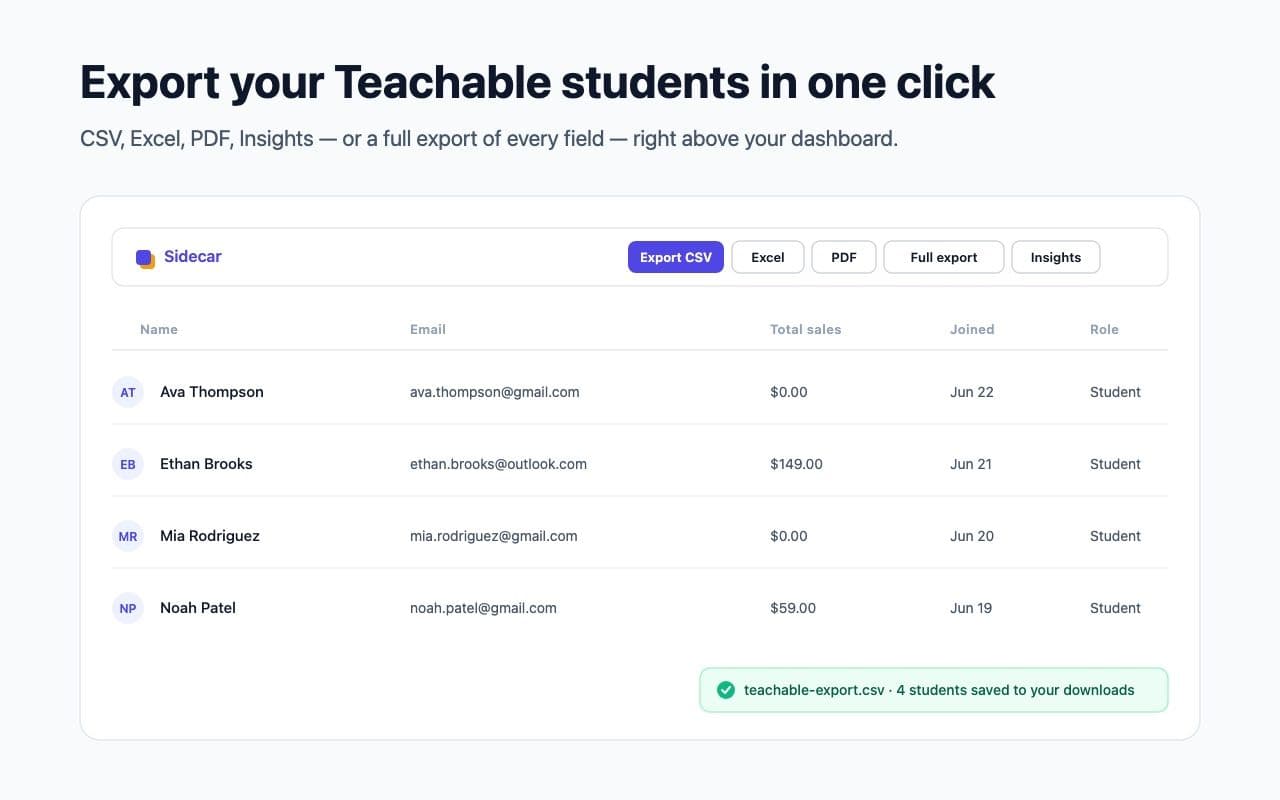
The second extension in the Sidecar line: a Manifest V3 browser extension that adds one-click CSV, Excel, PDF and JSON export to the Teachable admin — plus a Pro “Full export” that taps Teachable’s own API to pull every student, across every page, with every field. Built in a day on the shared @sidecar/core engine, dependency-free, entirely on-device, and now live on the Chrome Web Store.
The challenge
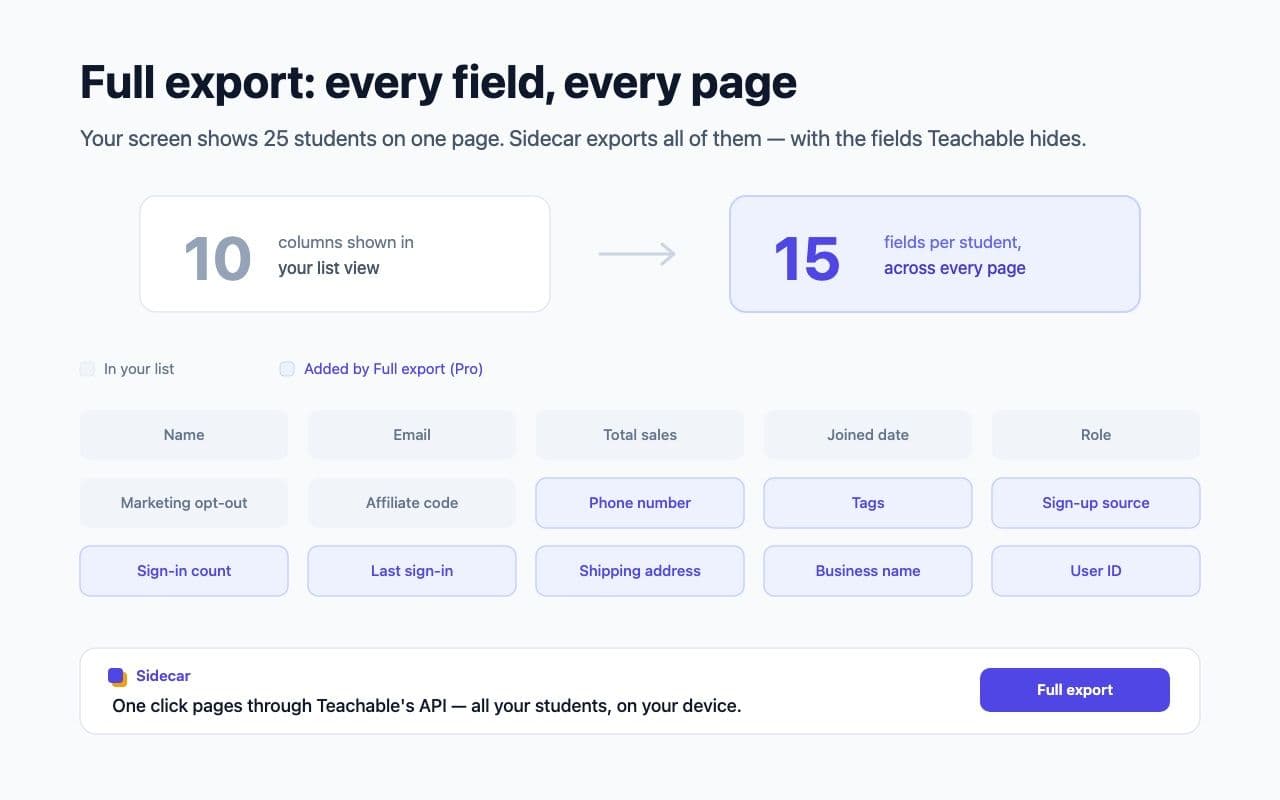
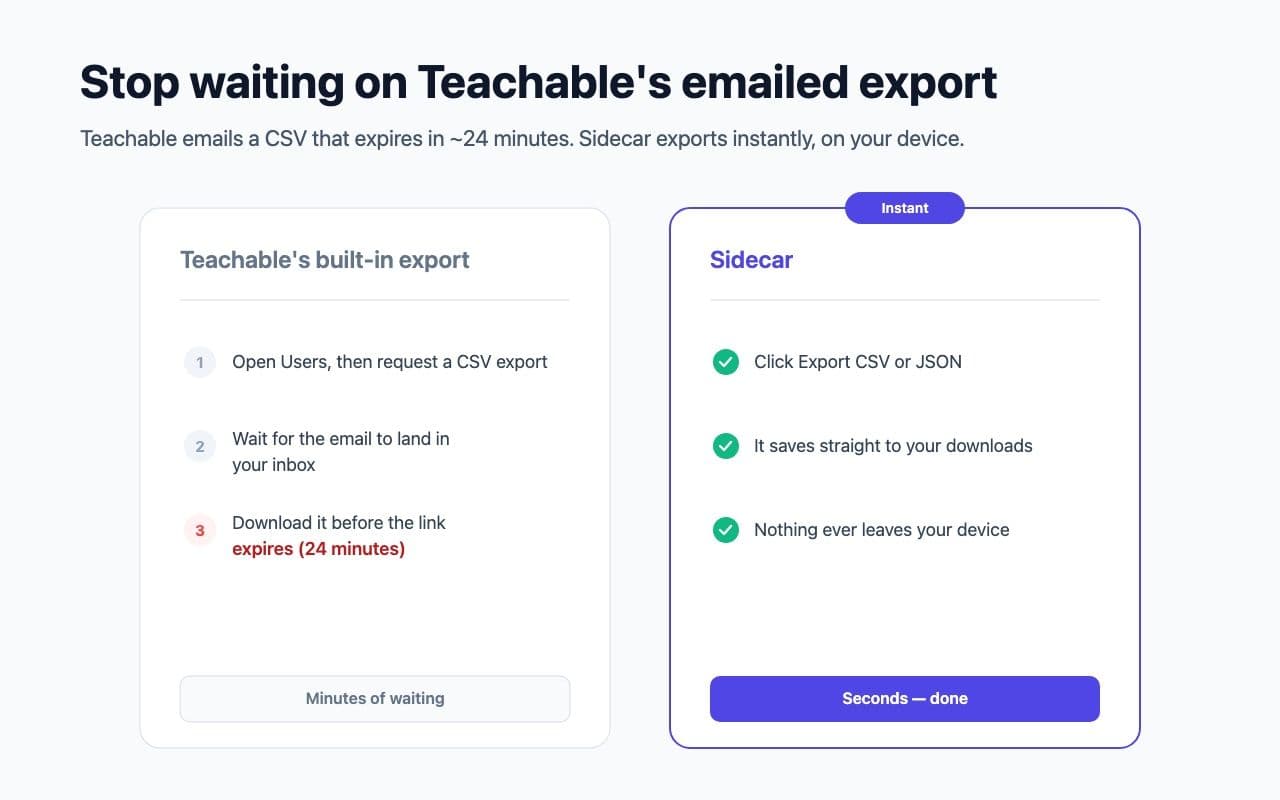
Teachable runs the course businesses of hundreds of thousands of creators, but getting your own student list out is a chore. The built-in export emails you a CSV that expires in about 24 minutes; the admin paginates 25 students at a time; and the richer fields — phone, tags, sign-up source, sign-in history, address — never appear in the list at all. Even the bulk tools sit behind a paywall.
The deeper goal was to prove a thesis. Sidecar for Kajabi had shipped on a reusable engine we claimed could deliver the same fix across platform after platform. Teachable was the test: build a second, more capable extension in a fraction of the time, on the same core, without starting over.
What we shipped
A second platform on the same engine
The whole extension is a thin layer over @sidecar/core — config, selectors, a manifest and entry points. We validated the live admin rather than guessing: Teachable’s students list is a real table.tch-table.student-table that paginates 25 rows at a time, and the shared scraper handled its header-in-the-body markup with no core change.
Reverse-engineering Teachable’s own API
Unlike Kajabi’s server-rendered profiles, Teachable’s admin is a client-rendered single-page app — fetching a page just returns an empty shell. So we traced the dashboard’s own network calls to /api/v1/users?page=N, a JSON endpoint that returns every field for every user with clean pagination metadata. Full export pages through it in the user’s own logged-in session, filters to enrolled students, and assembles all fifteen fields across every page — collapsing “all pages” and “all fields” into one feature.
Dependency-free Excel and PDF, written by hand
Rather than inject hundreds of kilobytes of SheetJS and jsPDF into a content script, we hand-rolled the writers: a minimal ZIP plus an OOXML worksheet for real .xlsx, and a from-scratch PDF generator (Helvetica, WinAnsi encoding, true pagination) for the branded report. The whole extension is about 11 KB gzipped — and there is no remote code for Chrome’s reviewers to question.
A richer Pro tier, validated live
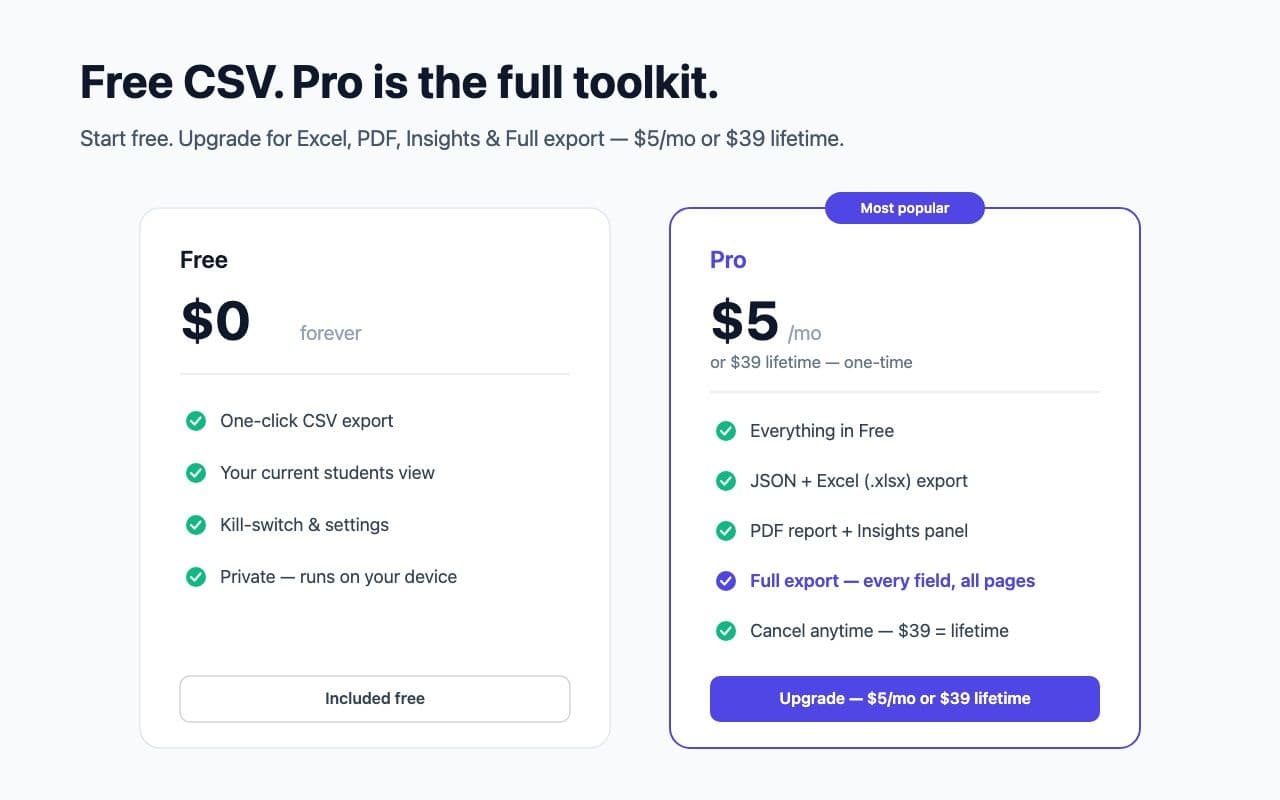
Free one-click CSV is the hook; Pro adds JSON and Excel export, a branded PDF report, an on-page Insights panel (revenue, roles, top students), and the Full export. Every feature was validated on a live Teachable account — the exported workbook checked field-by-field against the dashboard before submitting. Privacy stays absolute: nothing leaves the browser except the call to Teachable’s own API, on the user’s click.
The result
Shipped Sidecar’s second extension — built in a day on the shared engine, validated live, and now published on the Chrome Web Store.
- A Manifest V3 extension that adds a one-click export bar above the Teachable students table — CSV free; JSON, Excel, a PDF report and an Insights panel on Pro.
- Full export — pages through Teachable’s /api/v1/users API to pull every student across every page with all 15 fields, far beyond the 10 columns the dashboard shows.
- Dependency-free .xlsx and PDF writers added to @sidecar/core, so the whole bundle stays ~11 KB gzipped with zero remote code.
- A Black Hart–themed marketing, support and privacy site at blackhartconsulting.com/sidecar/teachable, plus a complete Chrome Web Store listing, now live.
- Proof of the thesis: a second platform shipped on the same core, validating the engine that makes each new target cheap.
Two extensions are now live in the Chrome Web Store from a single engine. Next on the same rails: Thinkific.
- Client
- Black Hart Consulting (first-party product)
- Year
- 2026
- Duration
- 1 day on the shared engine
- Team size
- 1
Your site could be the next one.
Discounted pricing — 30% off your first build for the next 5 paid clients in exchange for a published case study.